HelloClient - CRM system for service centers

Mobile CRM Capabilities: Business Management from Anywhere in the World

In today's world, business is increasingly moving beyond the office. Managers and executives are constantly on the road, participating in meetings and conducting negotiations in real time. Under such conditions, it is critically important to stay connected and have access to key company data.

The solution to this challenge is mobile CRM for business — a system that allows you to manage processes, contacts, and deals from any location with internet access.

Table of Contents

  • 1. Why Mobile CRM is So Popular
  • 2. Benefits of Having a Mobile Version of CRM
  • 3. How to Choose a CRM with Mobile Access
  • 4. Conclusion

Why Mobile CRM is So Popular

Flexibility and Mobility Freedom

Traditional office applications are often tied to specific computers or local networks. As a result, managers or executives cannot work fully when away from their workplace. With CRM with mobile access, all necessary data — from customer interaction history to current financial performance — is literally at your fingertips. A smartphone or tablet is enough to continue working.

Time Savings

In highly competitive environments, it's important to respond to customer requests as quickly as possible. With a mobile application, employees instantly see new leads, can call potential buyers, send commercial proposals and conduct correspondence directly from CRM. Thus, business management through CRM no longer depends on a work computer and becomes available on demand.

Improved Team Efficiency

When key tasks, deal statuses, and customer databases are synchronized across all devices, employees don't have to duplicate information. Office managers see changes made by colleagues in the field, and vice versa. This reduces the risk of errors and increases process transparency.

Benefits of Having a Mobile Version of CRM

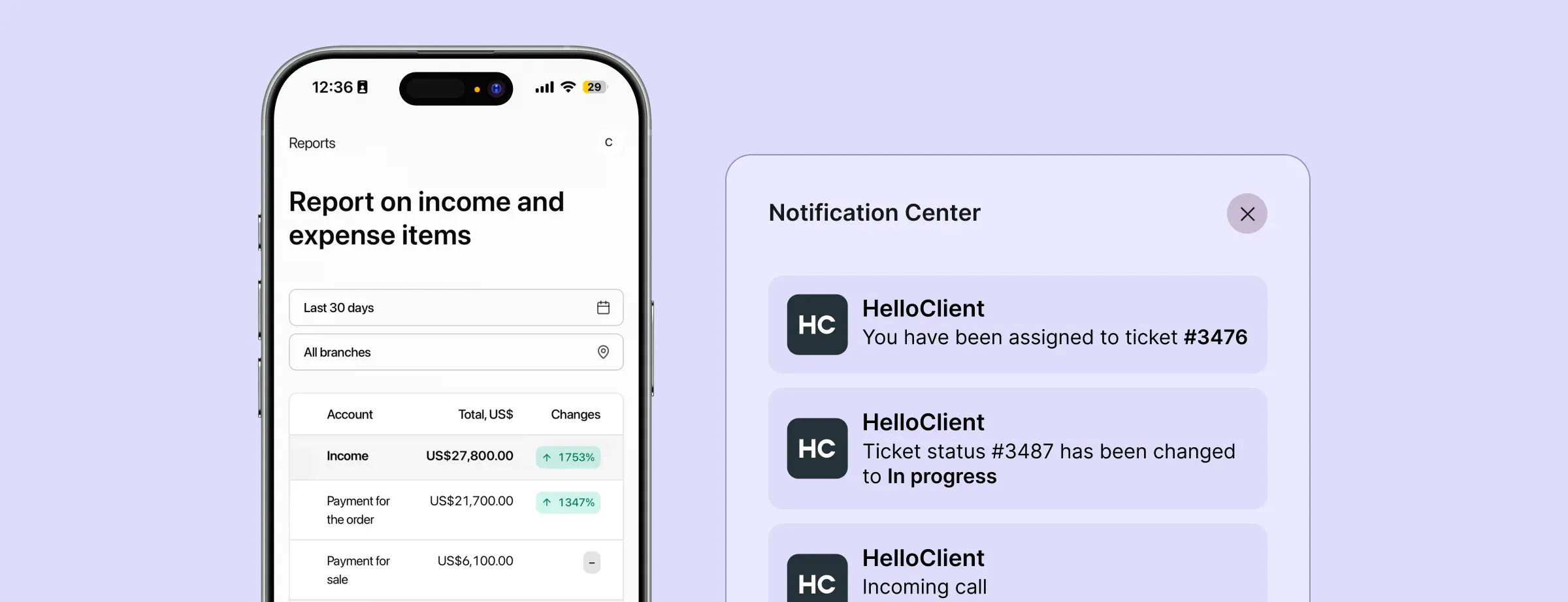
What does the mobile version of CRM provide? First of all - it's the ability to work from anywhere in the world. You get instant access to all data: analytics, reports, orders, products, customer database. The mobile version also allows you to notify employees about changes in orders and new tasks so nothing is missed.

Instant Access to Analytics and Reports

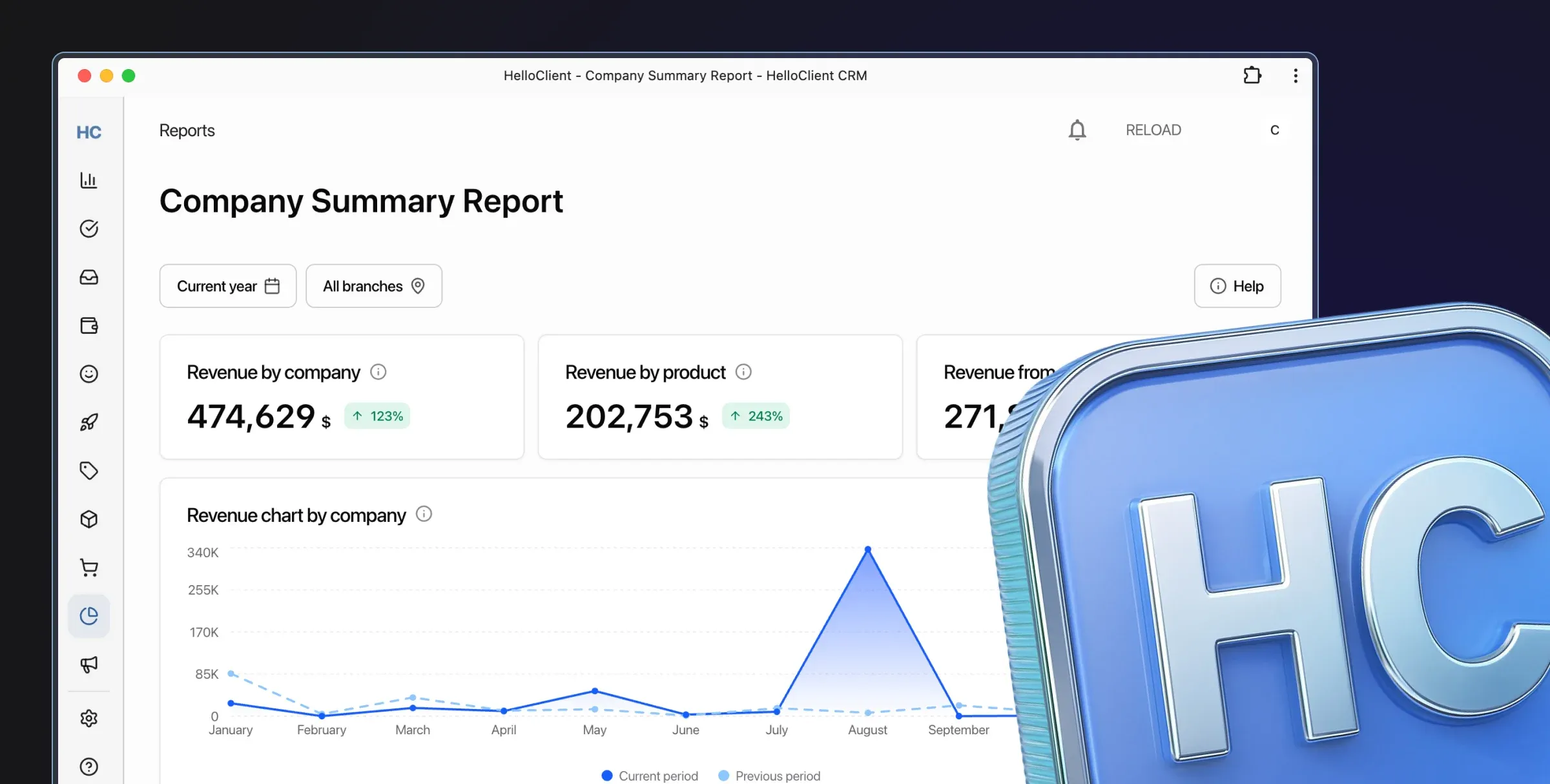
One of the most important advantages is the ability to track sales results, financial performance, and key metrics in real time. This allows you to make informed decisions without delays, even if you're on a business trip or vacation.

Improved Communications

Office staff, field managers, and executives can communicate through built-in chats, leave comments in deal cards, and exchange files. All of this happens in one application, which eliminates confusion with email or messengers.

Automation of Routine Tasks

Mobile CRM for business often includes reminder features and automatic notifications. The system itself alerts you about approaching deadlines, necessary calls, or important meetings, allowing you not to miss any key details.

Quick Onboarding of New Employees

Training a newcomer to use CRM is easier if the system provides an intuitive interface in the mobile application. A manager can learn the functionality "on the go," without the need to review bulky instructions on an office PC.

Task and Personnel Management

It's convenient for a manager to see who on the team is currently busy, which deals are in progress, and how much time is spent on each stage. This simplifies performance monitoring and helps form development plans for the department or the entire company.

How to Choose a CRM with Mobile Access

Main criteria when choosing CRM: simple interface, availability of mobile version, availability of integrations with SMS providers, telephony and messengers, data security assurance

The market offers many solutions, each with its own features. The main selection criteria:

Stable Mobile Application Performance

It should function correctly on different platforms (iOS, Android) and provide the same range of capabilities as the web version.

Intuitive Interface

User convenience on mobile devices is particularly important: overly bulky menus or complex settings demotivate employees.

Availability of Necessary Integrations

It's important that the CRM easily connects with messengers, telephony, accounting services, and other tools you use in daily work.

Security and Reliability

Access to important commercial data from anywhere in the world requires a high level of protection. Choose a provider that guarantees encryption and reliable server solutions.

Conclusion

The trend toward remote work continues to gain momentum, and CRM with mobile access is becoming an integral part of modern business. It gives employees the ability to respond to market changes "on the go," maintain contact with customers and colleagues, and enables managers to control processes and make strategic decisions promptly.

As a result, business management through CRM ceases to be a privilege of large corporations and becomes available to businesses of any scale. Thanks to the mobile version of CRM, you always keep your finger on the pulse of the company, regardless of geographic location. If your goal is to stay one step ahead of competitors and grow your business, it's worth seriously considering implementing a flexible and reliable mobile management system.

HelloClient is an excellent example of such a mobile CRM, allowing you to manage deals in real time, track warehouse inventory, and monitor financial performance. The application interface is designed in such a way that users need only a few minutes to master the main functions and start working. Thanks to synchronization with the web version, all changes made from a phone or tablet are instantly reflected in the common database, making HelloClient an effective tool for managing business from anywhere in the world.

HelloClient CRM Application is Perfect for Business

Intuitive interface allows employees to quickly master simple processes like customer management, order tracking, inventory management, and report generation in CRM

Success ✨ starts with HelloClient 💙 Launch CRM HelloClient right now and get 14 days of free testing

Start for Free

Still have questions? We're here to help:
Contact us on What's App What's App support

If everything is clear — join us! Register now and start managing your business for free