How to Open a Phone Repair Service Center from Scratch
This article is for you if you:
Have worked as an employee and decided to start your own business.
Are passionate about electronics repair and want to earn more from it.
Saw that acquaintances opened their own service center and decided to try too.
Want to open a service center but don't know where to start.
A plan that will help you open a phone repair service center from scratch:
1. Competitor analysis
2. Choosing a location for your service center
3. Documentation
4. Investments
5. Equipment and inventory for startup
6. Staff
7. Customer acquisition
8. Work optimization
It's important from the start to record all orders, sales, customers, and spare parts in inventory to maintain organization in your work and mind. There are CRM systems that help streamline and automate business processes for companies.
Use HelloClient free for 14 days and test all features
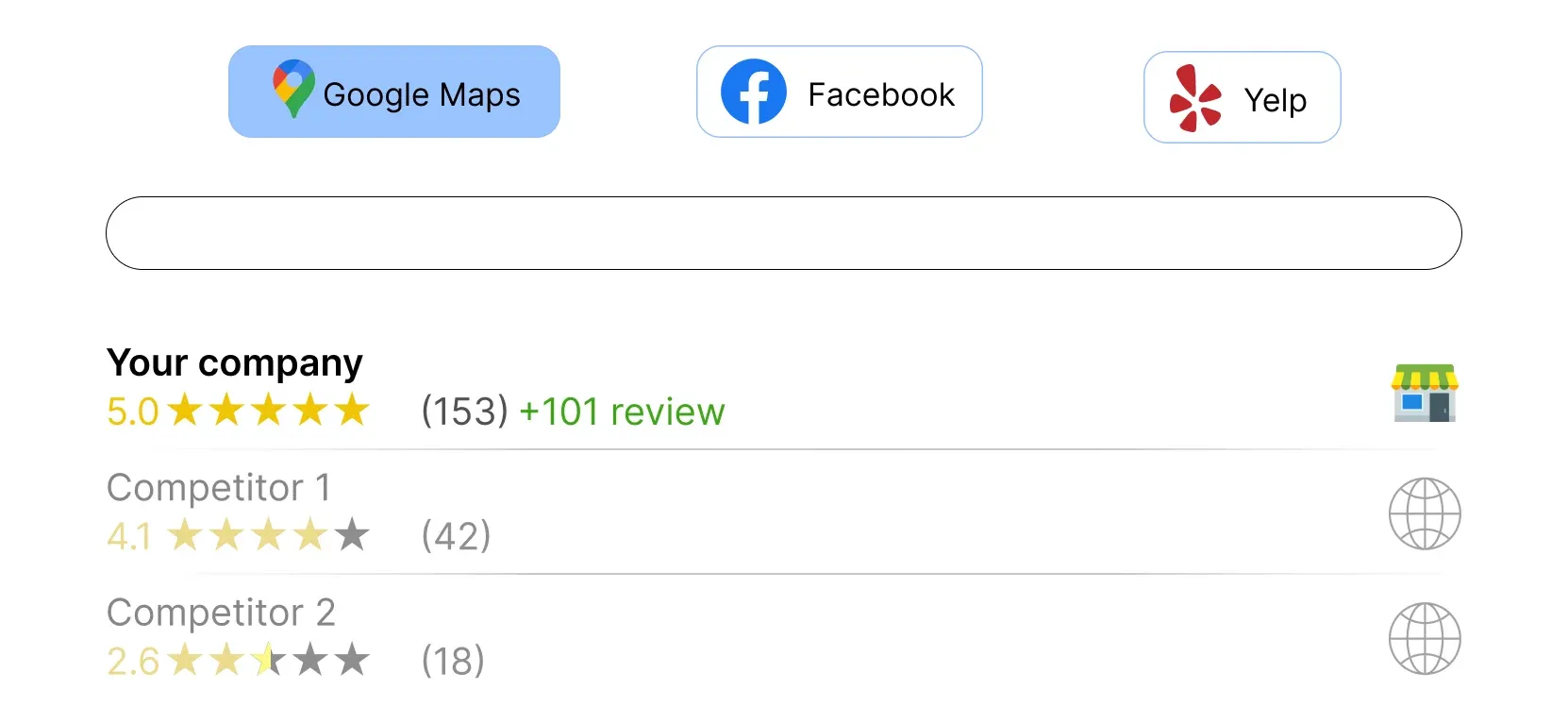
Study your competitors by paying attention to reviews on online maps and the location of their service centers. It's also important to consider the following aspects:
Services and Pricing:
Analyze the services offered by competitors and their pricing strategies. Try to stand out by offering unique services or competitive prices.
Service Quality:
Study customer reviews about service quality. Successful service centers often stand out with their high level of service and attention to detail.
Technical Expertise:
Assess the level of technical competence of competitors. This will help identify strengths and weaknesses in their work and find opportunities to improve your own services.
The most effective way to compete is not just to provide services, but to build long-term relationships with customers, paying attention to their wishes and needs.
2. Choosing a Location for Your Service Center
Foot Traffic
Evaluate the flow of people and the presence of popular stores nearby. Good foot traffic will provide you with a steady stream of customers. For example, being located near a large supermarket can ensure a constant flow of people.
When choosing a location in a shopping center, make sure to include in the contract that there should be no competitors nearby. This will help avoid losing customers due to choice between multiple services.
When choosing a standalone location, ensure there are no other repair centers near your service. Research the area and find out where the nearest competitors are located.
City Center or Residential Areas?
City centers have higher foot traffic, while residential areas have more repeat customers. In the center, you can attract tourists and business people, while in residential areas - local residents who will return to you repeatedly.
Accessibility
It should be easy for your customers to reach your service center. Check for convenient access roads, parking, and public transportation nearby.
Every customer is important at the beginning, so it's necessary from the start to maintain a customer database and work with each one. Send SMS campaigns to customers, offer discounts for referrals, and inform about promotions. Ask customers to leave reviews about your service center, as online presence is crucial, especially at the beginning.
3. Documentation
To open a service center, you need to register as an individual entrepreneur and obtain a patent (choose a taxation system). Sign a contract with the landlord.
It's best to consult with a lawyer on this matter to avoid mistakes and financial losses.
If you're just starting out and have no experience in business management, consider hiring a freelance accountant who can help with tax payment processing.
4. Investments
The startup amount can range from several thousand to several million dollars, which will go toward:
Rent: choose a convenient and accessible location.
Premises setup: do renovations and purchase necessary furniture.
Equipment: purchase a minimal set of tools and repair equipment.
Spare parts and accessories inventory: create a small stock of the most in-demand components.
Cost optimization tips:
Used equipment: consider purchasing second-hand equipment.
Gradual expansion: start with a minimal set of spare parts, expand the range as the business grows.
Rent-to-own: explore the possibility of renting premises with an option to buy, to reduce fixed costs in the future.
These recommendations will help you effectively manage your initial capital and ensure a successful start to your business.
5. Equipment and Inventory for Startup
To start working, you'll need a minimal set of equipment:
Microscope: for precise soldering of small components.
Soldering iron: the main tool for electronics repair.
Bottom heater: helps evenly heat the board, making the soldering process easier.
Laboratory power supply: provides stable power and device testing.
Display programmer: used for screen configuration and firmware.
Plotter: cuts films and protective glass to required sizes.
Double-sided tape: for component mounting and device assembly.
Matrix tape: special tape for display mounting.
Glue: reliable fixation of phone parts.
Computer or laptop: for diagnostics, programming, and repair management.
Necessary spare parts: stock up on components for display and battery replacement - the most popular services.
Accessories: have chargers, cases, protective glass for iPhones and popular Android models in stock.
HelloClient CRM system will help you optimize inventory management
To start, one technician who also performs receptionist functions is enough. Take staff selection seriously to avoid dissatisfied customers. An excellent service for finding employees is HeadHunter.
If you work alone, a CRM system is an indispensable assistant that will inform customers about order status using the "Order Status" widget, simplifying communication with customers. CRM is like your manager employee who will also issue beautiful receipts to make you look professional in the customer's eyes.
Hiring tips:
Experience and skills: look for candidates with experience in electronics repair and good references.
Test assignment: conduct a test assignment to assess practical skills.
Control and management:
Use HelloClient CRM system for staff management:
Employees won't waste time figuring out what needs to be repaired. In CRM, they can see orders that require work.
View salary reports. The employee should be on the same page with you. The higher the quality and quantity of their work, the more salary they receive and the more they increase your business rating. The "Salary" module will help you with this. Use the CRM system to avoid wasting time on calculations.
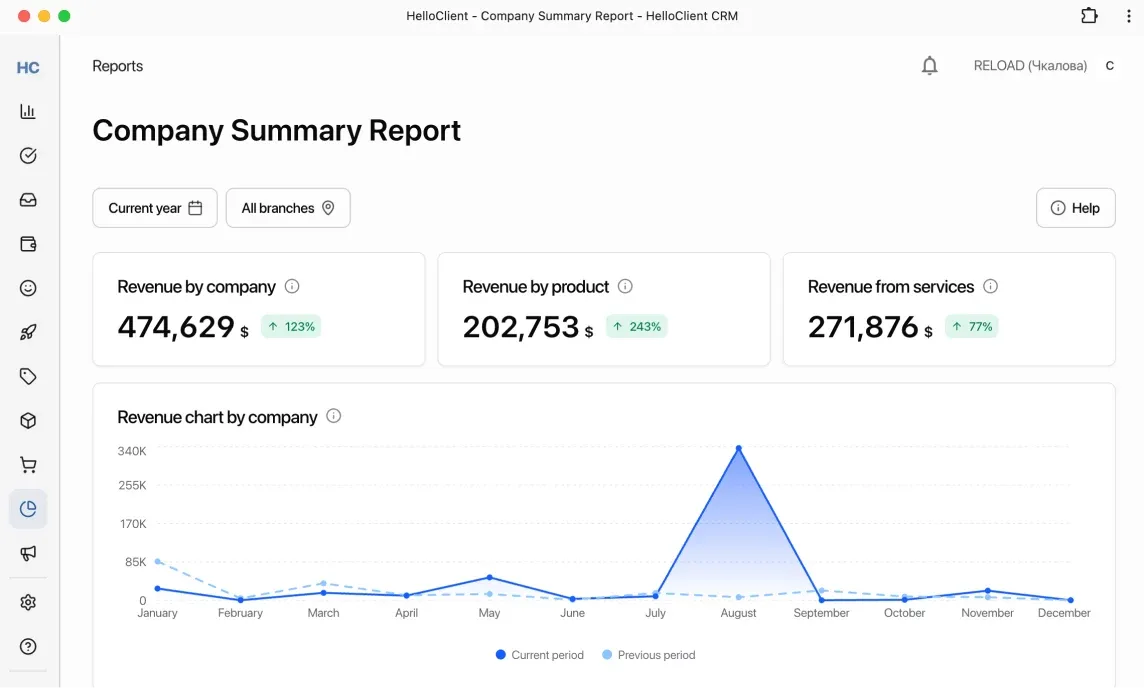
Analyze performance and work quality using the "Reports" module. View net profit from orders and sales, track the number of completed works by employees, and see which services and products are most popular among customers.
Assign access rights to employees.
Track employee actions in order history, store, and payments.
These measures will help you effectively manage staff and ensure high level of customer service
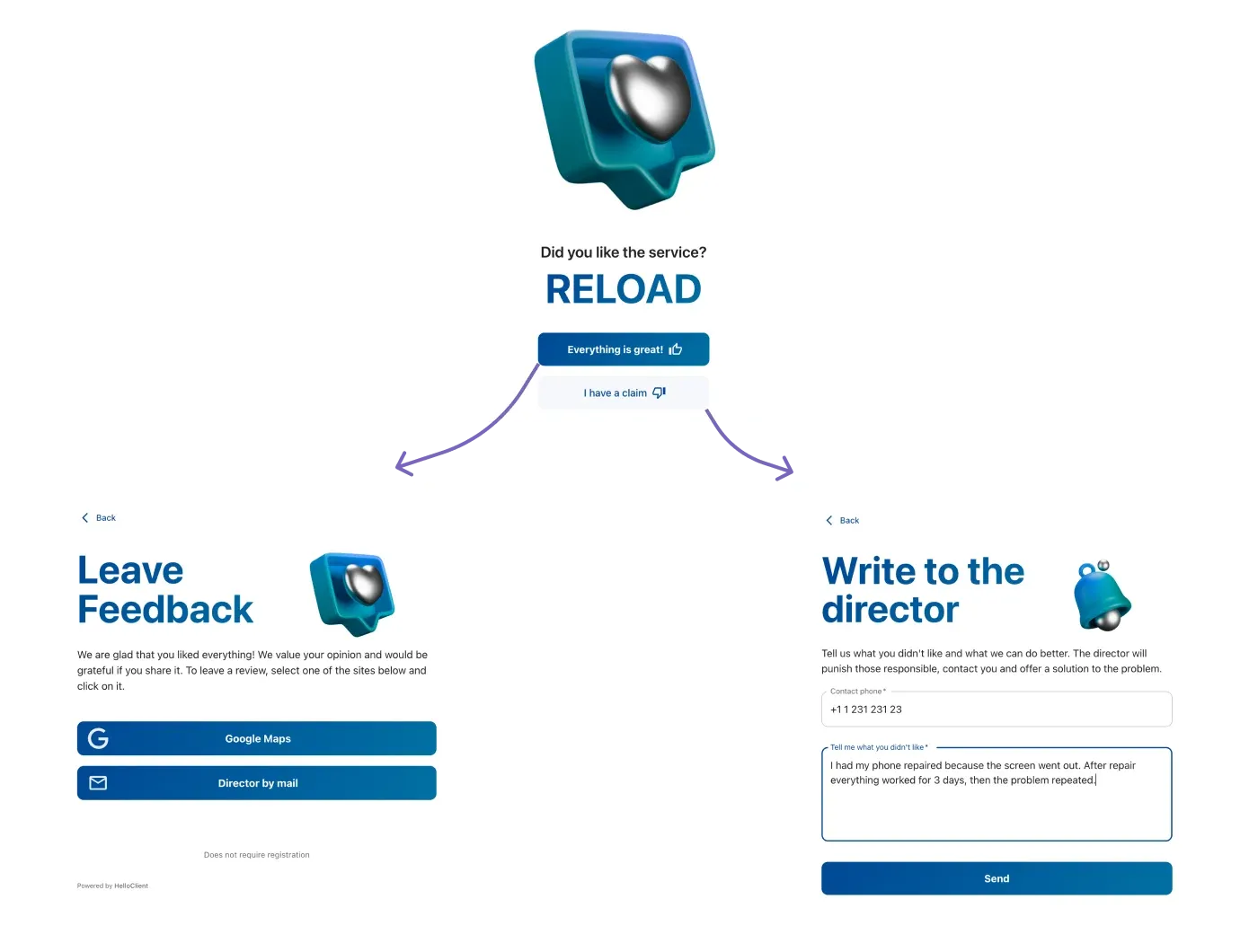
Use reviews on Google Maps, Yandex, and 2GIS to your advantage. With HelloClient CRM, you can effectively manage reviews thanks to a special widget: it automatically intercepts negative reviews and sends positive ones to the maps where you've registered your service.
93% of users search for information about products and services nearby.
76% of users trust reviews as much as personal recommendations.
If your company is absent from geo-services, you're simply losing a large share of customers.
Online presence and advertising
Develop your website, use various types of online advertising, outdoor advertising (business cards, billboards, flyers), targeted advertising, and others. The wider your online presence, the more chances you have to attract potential customers.
Social media
Don't forget about popular social platforms: create pages on VKontakte, Instagram, YouTube, Telegram. Collaboration with bloggers can also significantly impact your service's recognition.
Word of mouth
The better you serve the customer, the more likely they are to tell their relatives, friends, and acquaintances about you.
Show the quality level of your service
Young service centers sometimes may not be trusted, so issue customers receipts with logos, stamps, and warranty conditions. You can read how to do this with CRM in our article.
Communicate with customers
Automatically notify customers via SMS when their order is accepted, when status changes, and when it's ready. Customers need to be informed about what's happening with their order, then they'll be calm.
Love your customers
Build customer profiles: kind or demanding, likes to chat or prefers to solve issues quickly. With such notes, you can always find an approach to each one. You can build customer profiles in their CRM card by creating the necessary number of customer fields.
Store all contacts and orders in CRM to stay close to your customers
When everything is ready to start working, it's important to establish order. The HelloClient CRM system is an ideal tool for effective business management.
Often at the beginning of a business, everything is written down on pieces of paper. Then customer contacts and order data are forgotten, lost, or handwriting becomes unreadable.
CRM will help preserve all customer data, quickly fill out all information about the submitted device in the order form, take photos of the device condition to avoid difficult situations with customers when they say "this scratch wasn't there."
Benefits of using CRM:
Centralized management: the entire database of orders, sales, customers, and inventory is concentrated in one place.
Automation and reporting: automatic reports and ready-made document templates significantly save time not only at the start, but also in the long term.
Salary module: the integrated salary module simplifies the accounting and payment process for employees.
We invite you to read the article "How to Start Working in HelloClient" and automate all your company's business processes